
Disable SMART Controller Wi-Fi
You can completely disable the SMART Controller's Wi-Fi using the SMART Control Panel.
About this task
If your organization's security practices require you to disable the SMART Controller's Wi-Fi such that it does not advertise wireless service at all, you can do so by editing the controller's netplan.
Procedure
-
Confirm that you have a means of accessing the SMART Controller via wired
Ethernet or a directly connected keyboard and monitor.
If you are currently connected to the SMART Controller via the controller's Wi-Fi interface, you will lose that connection and be unable to reestablish it.
- Open the SMART Control Panel and go to Networking.
-
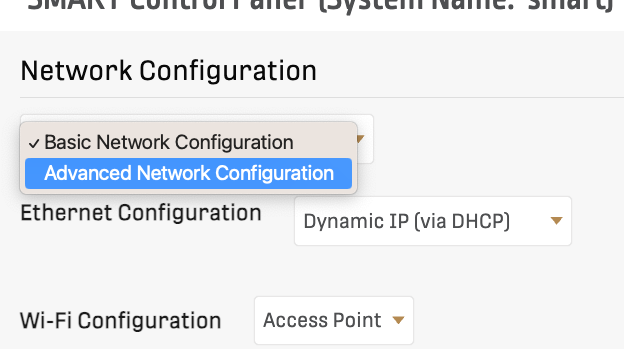
Select Advanced Network Configuration from the first
dropdown menu.
-
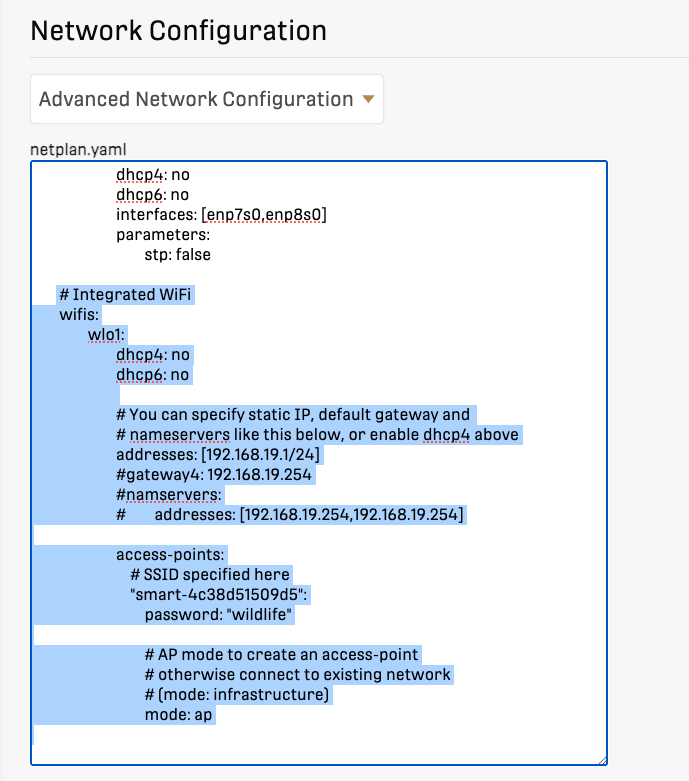
In the netplan.yaml text box, scroll down and delete all
content from "# Integrated WiFi" to the end.
- Select Apply Changes.