
SMART Controller Overview
The SMART Controller is a rugged computer running Ubuntu Linux and the SMART System Software.
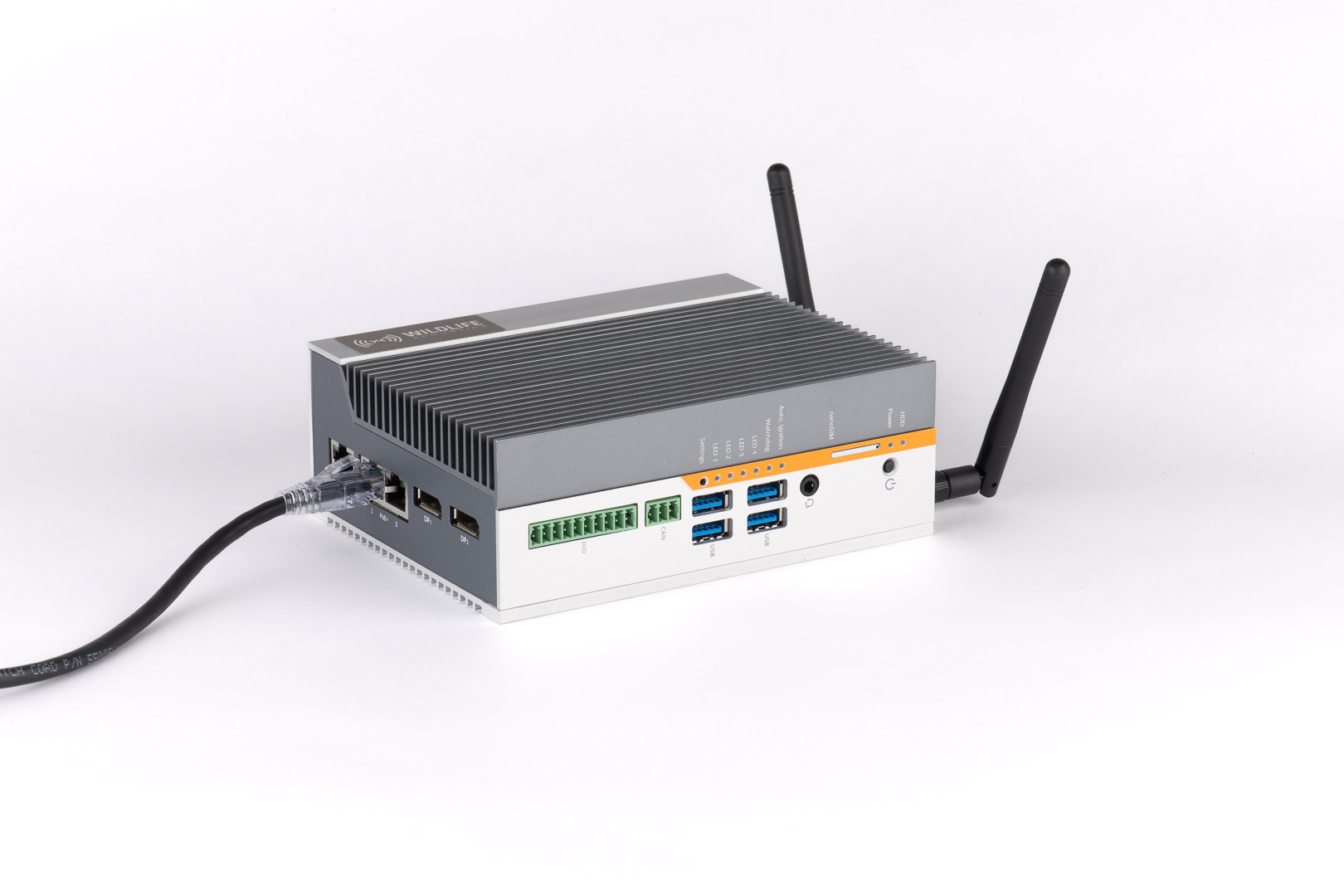
The SMART Controller is the central component of a SMART System. It hosts the browser-based SMART Control Panel used for configuring the SMART System, analyzes and records the audio from any attached microphones, and communicates with a wide variety of external devices.
SMART Controller Connectivity
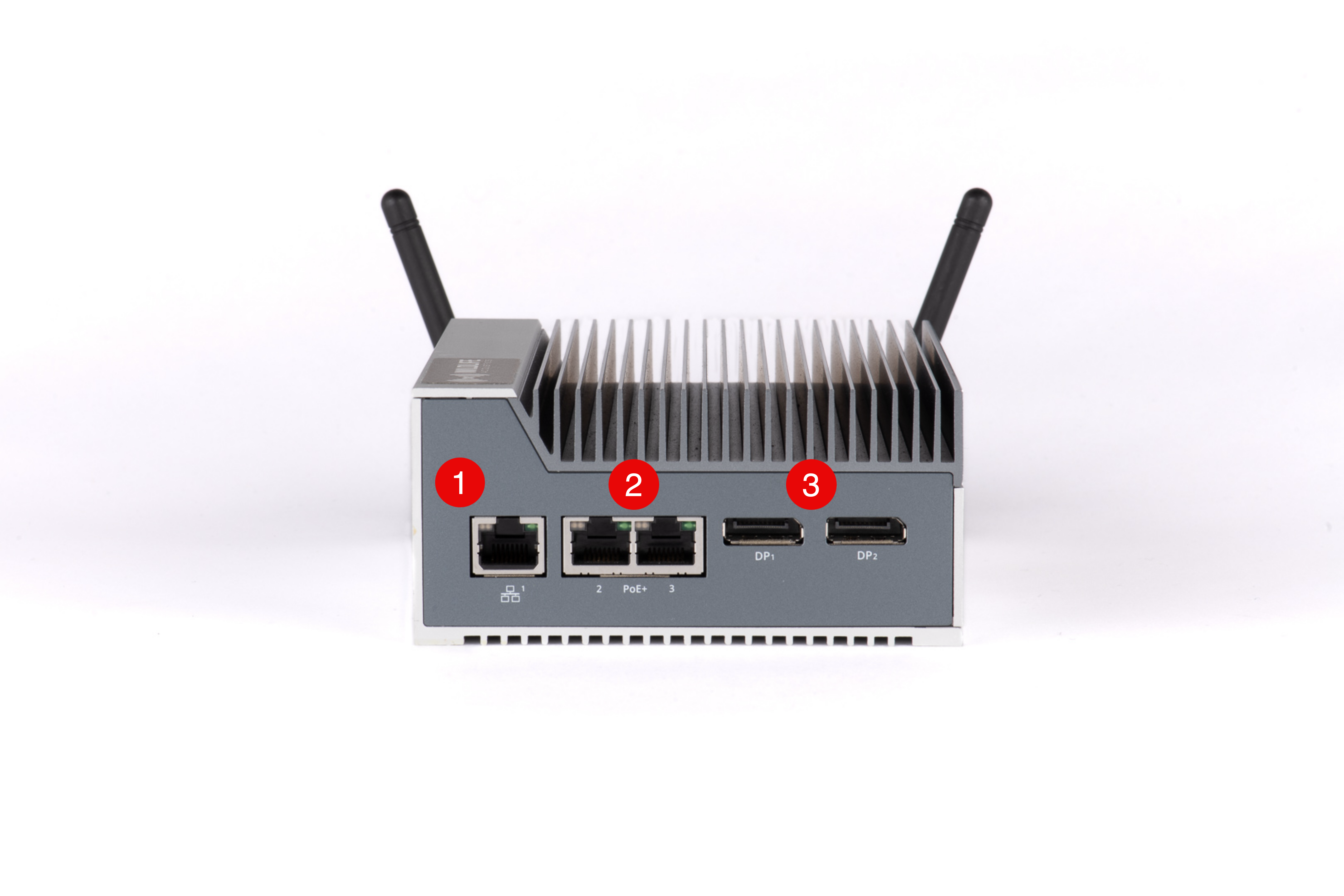
- One Gigabit Ethernet port can be used to connect the SMART Controller to a network.
- Two Gigabit Ethernet ports with Power over Ethernet (PoE) can directly power two SMART MIC-1 microphones. With an external PoE switch, up to three SMART MIC-1 microphones can be used simultaneously with the base model SMART Controller.
- Two DisplayPort sockets allow you to view the SMART Controller's Ubuntu command line on an external display.
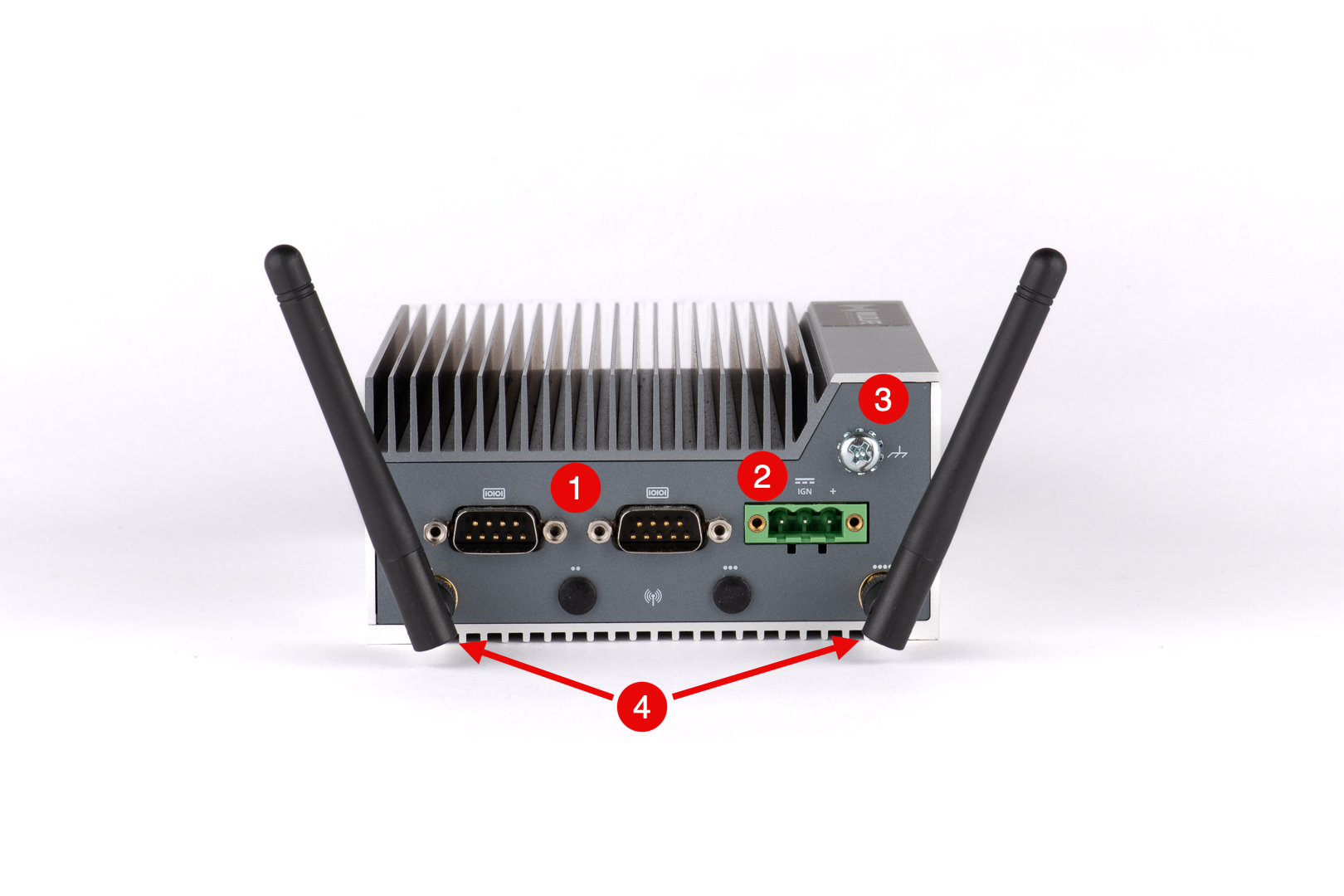
- Two DB-9 serial ports can output bat call analysis measurements via the RS-232, RS-422, or RS-485 protocols. These ports can also be used to communicate the status of the SMART Controller's alarms via Modbus.
- The SMART Controller's power input accepts 9-36 V DC.
- A grounding lug can be used to protect the SMART Controller from electrical discharges.
- Two Wi-Fi antennas allow you to connect the SMART Controller to an existing Wi-Fi network or to host a local Wi-Fi network.
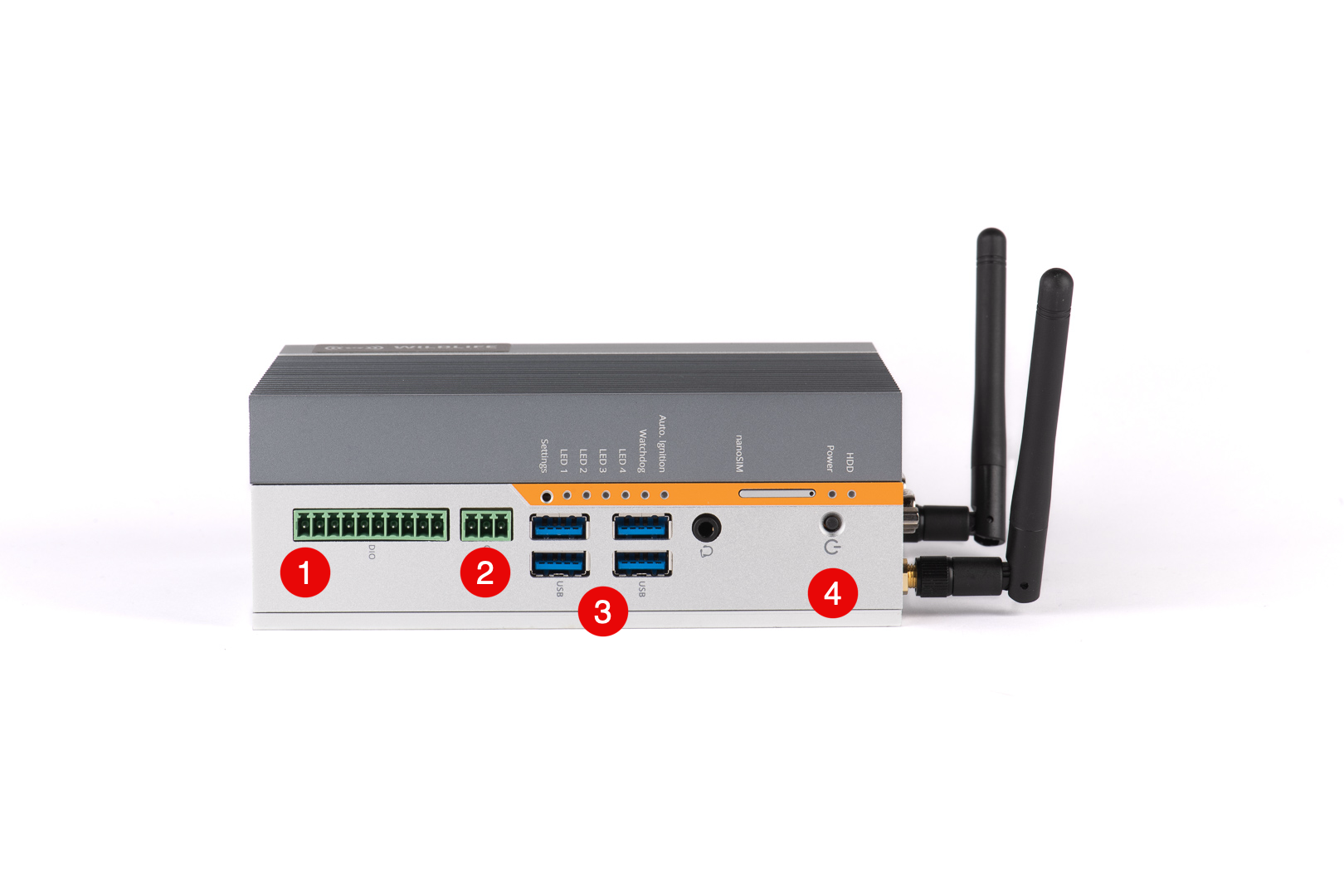
- Optically isolated Digital I/O pins are available for use by custom applications. One possibility is to signal the presence of bats to connected devices using a simple script.
- A CAN bus can be used for custom applications.
- Four USB 3.0 Type A ports allow you to connect storage devices, keyboards, and other accessories.
- The power button is not generally required, as the SMART Controller boots automatically. You can use it to manually reboot the SMART Controller.
Optional Hardware Upgrades
The SMART Controller can be purchased with optional upgrades, including the following:
- Faster CPU with more cores
- Increased RAM capacity
- Built-in 4G LTE cellular mode
- Increased internal storage capacity
Contact Wildlife Acoustics Sales at https://www.wildlifeacoustics.com/contact-us to request additional details.